Journalit

by Cursive
5
4
3
2
1
Score: 54/100

Description

The Journalit plugin turns a vault into a trading journal with dashboards, account pages, review templates and a layout builder for arranging widgets. It keeps the main journal inside local files, so notes and trade records stay in the vault and the core flow can work offline. The plugin tracks performance, patterns, profit targets, drawdowns and includes a heatmap style home view plus a separate trade log. It also supports broker and statement imports through Journalit services, with options for CSV, tables, HTML reports and MetaTrader 4 or 5 sync. A review system covers daily to yearly check ins. Network features are optional, but sign in and subscription gated features rely on a Journalit account and backend services.

Reviews

No reviews yet.

Stats

210
stars
22,545
downloads
20
forks
94
days
65
days
65
days
0
total PRs
0
open PRs
0
closed PRs
0
merged PRs
6
total issues
0
open issues
6
closed issues
50
commits

RequirementsExperimental

  • Journalit account for authenticated and subscription gated features

  • Journalit Pro subscription for MetaTrader Sync and full Trade Import access

  • MetaTrader 4 or MetaTrader 5 for automatic sync

Latest Version

2 months ago

Changelog

[1.8.3] - 2026/08/14

New performance widgets, review indicators, precise trade times, and reliability fixes.

Reviewed Calendar Indicators

Calendar Reviewed Completed daily and weekly reviews now appear on the performance calendar, with subtle dots in compact mode.

New Performance Widgets

Ticker widget Compare the instruments, setups, and tags you trade.

  • Ticker Performance — Rank tickers by Total P&L, Total R, or Win Rate
  • Setup Performance — Compare setups on the Trading Dashboard
  • Tag Performance — Analyze tags on the Dashboard and across all reviews
  • Flexible rankings — View best and worst, best 10, or worst 10 Access via Layout Builder → Add Widget → Performance

Key Events on Home

Key events A new Home widget shows events from your current Weekly Review, grouped by day. Click the widget to open the Weekly Review

Searchable Widget Picker

Search Widgets Search Layout Builder widgets by name, description, category, or type.

Second-Level Trade Times

Optionally record entry and exit times with seconds. Access via Settings → General → Show Seconds in Trade Times

Filter Improvements

  • Reset filters — Restore defaults on Home and Setup Overview
  • Deleted account cleanup — Removed accounts disappear from filters
  • Custom date range fix — Custom timeframes now open and apply correctly

Trade + Workspace Reliability

  • Full exits now clear unrealized snapshots and close trades correctly
  • Trade files outside the Journalit folder no longer appear as duplicates
  • Restored DRC, Setups, and Trade Log tabs no longer load empty
  • Backend sessions refresh automatically, reducing repeated sign-ins

More Fixes

  • Weekly break-even results now use neutral styling distinct from no-trade days
  • Setup tag badges stay aligned across cards

README file from

Github

Local-first trading journal for Obsidian.

Obsidian Plugin Docs Discord

Installation · Supported brokers · Privacy
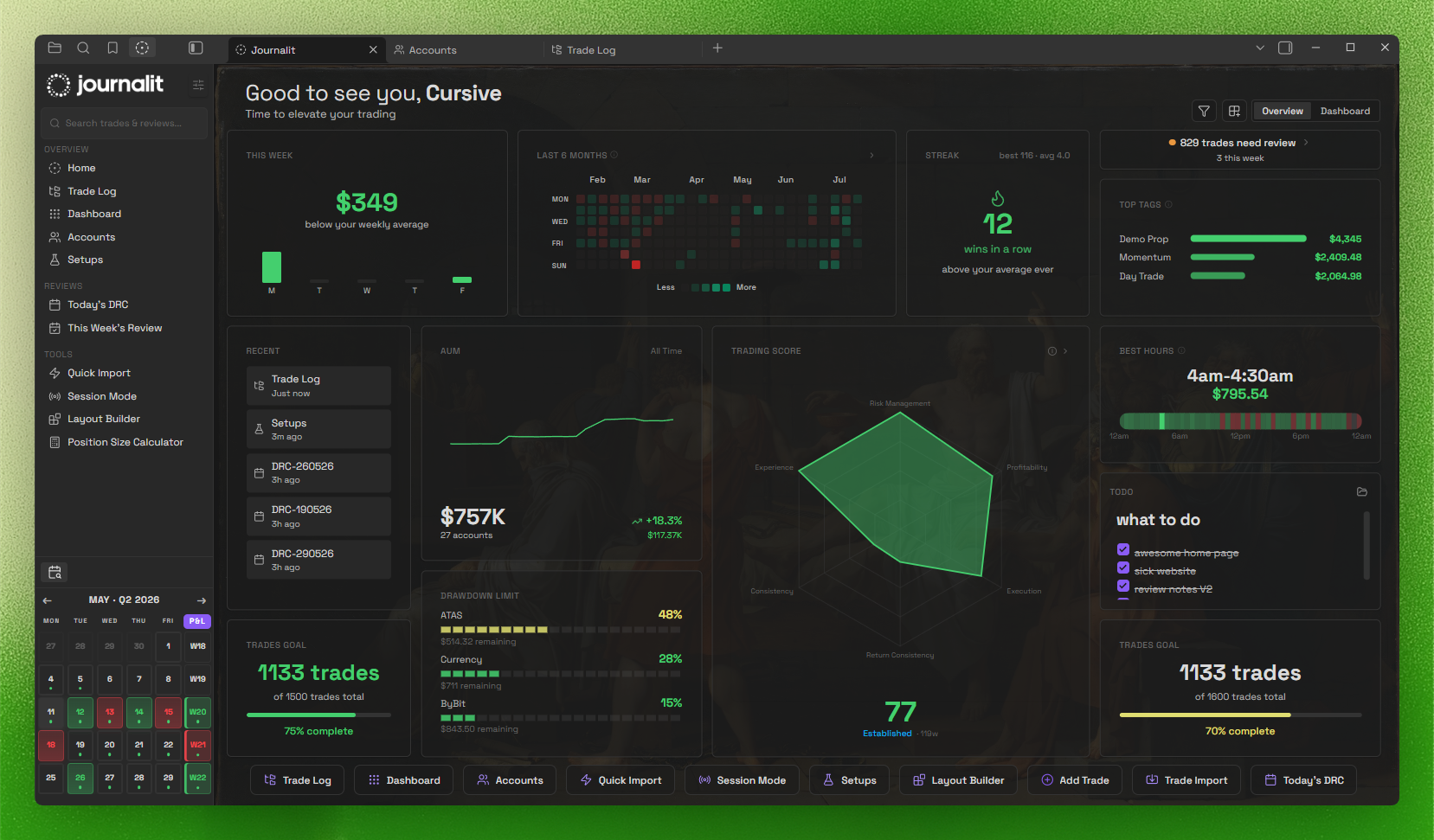
Home View

Installation

Install Journalit from Obsidian Community Plugins:

  1. Open Settings → Community Plugins → Browse
  2. Search for Journalit
  3. Click Install, then Enable

Community page: https://community.obsidian.md/plugins/journalit

Highlights

  • Local-first: core journaling stays inside your Obsidian vault.
  • Home View dashboard: draggable widgets + trading heatmap.
  • Trading dashboard: track performance and patterns at a glance.
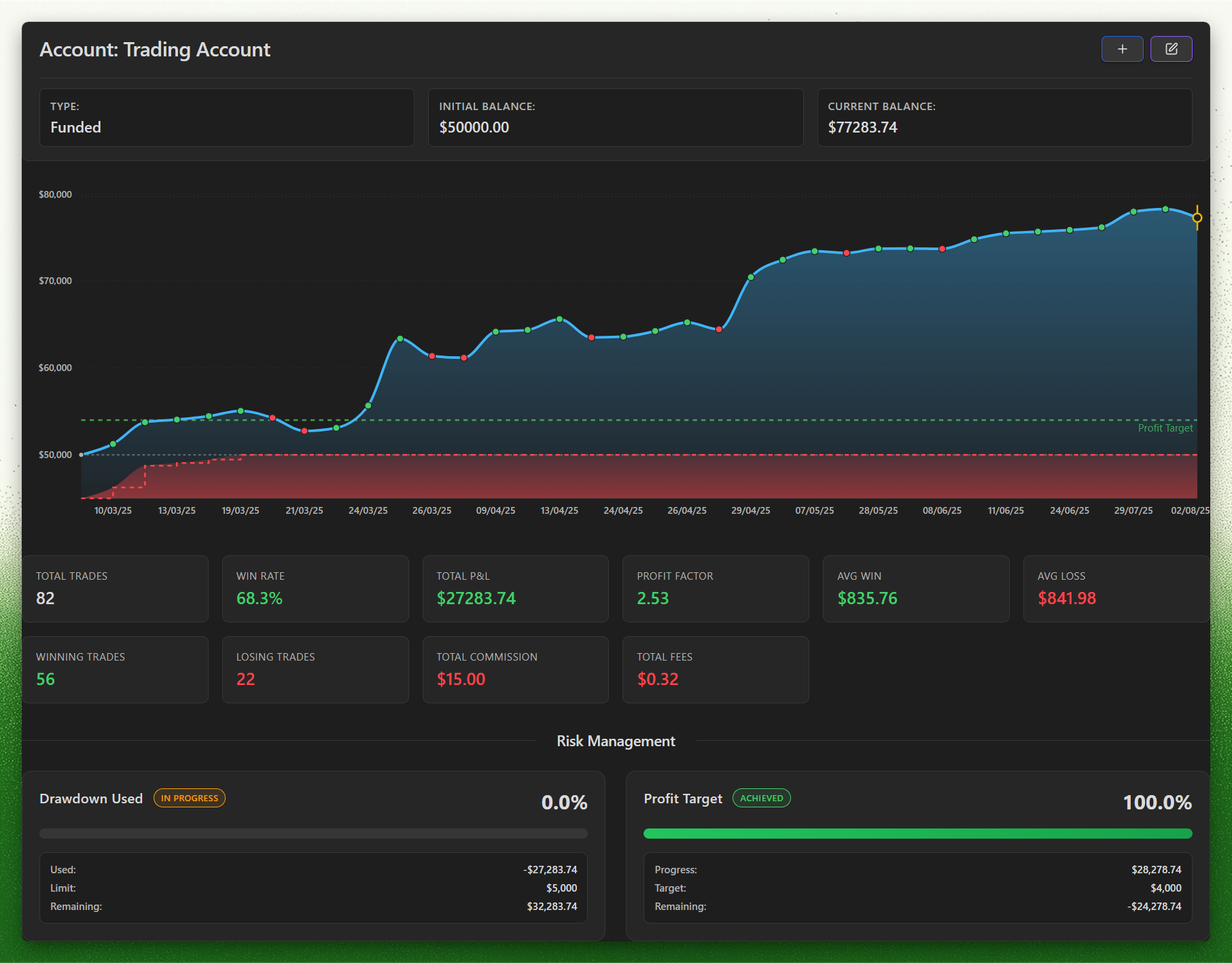
  • Prop challenges: track evaluation and funded phases, drawdown, daily loss, profit targets, and payout rules, with firm profiles to set them up.
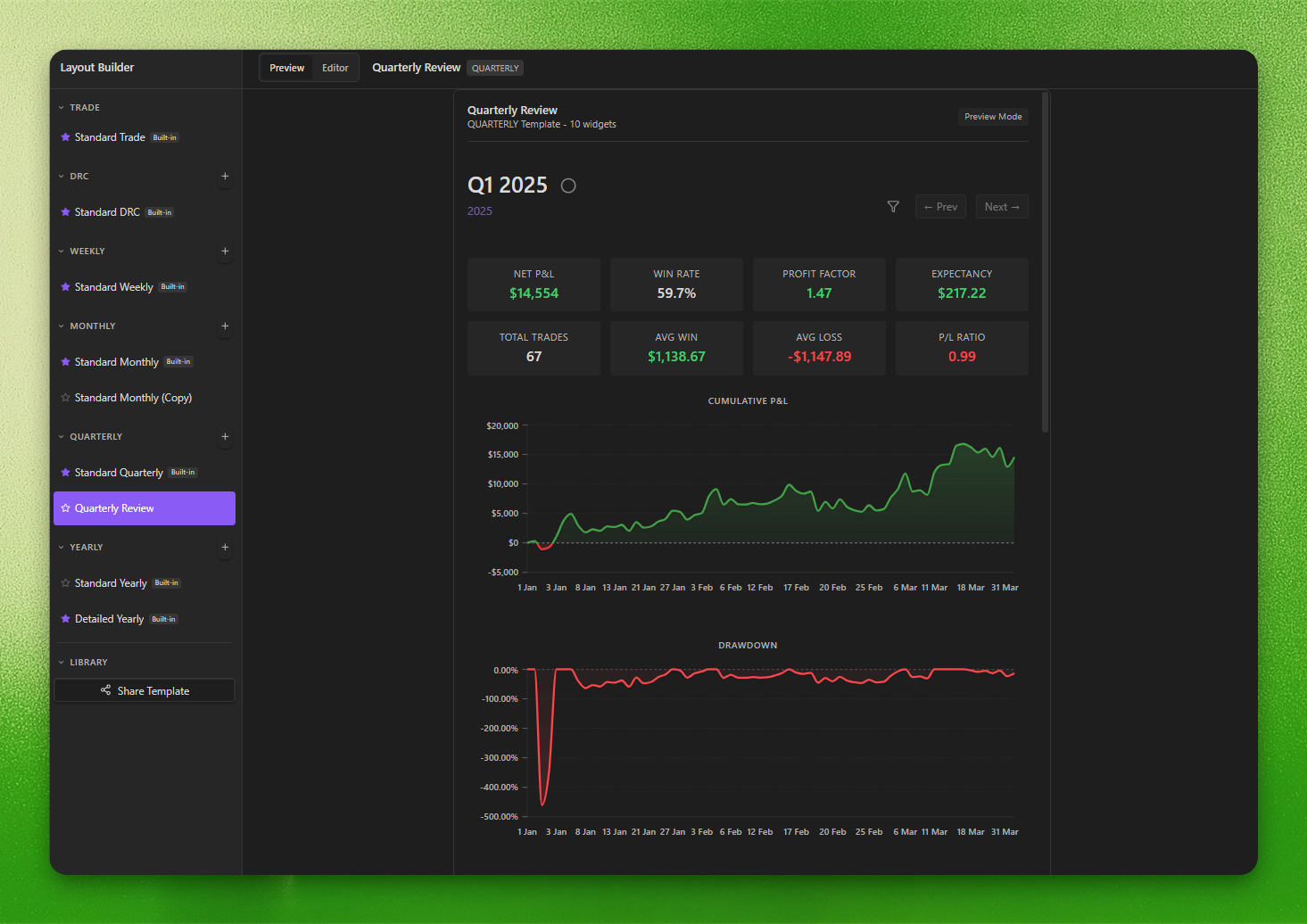
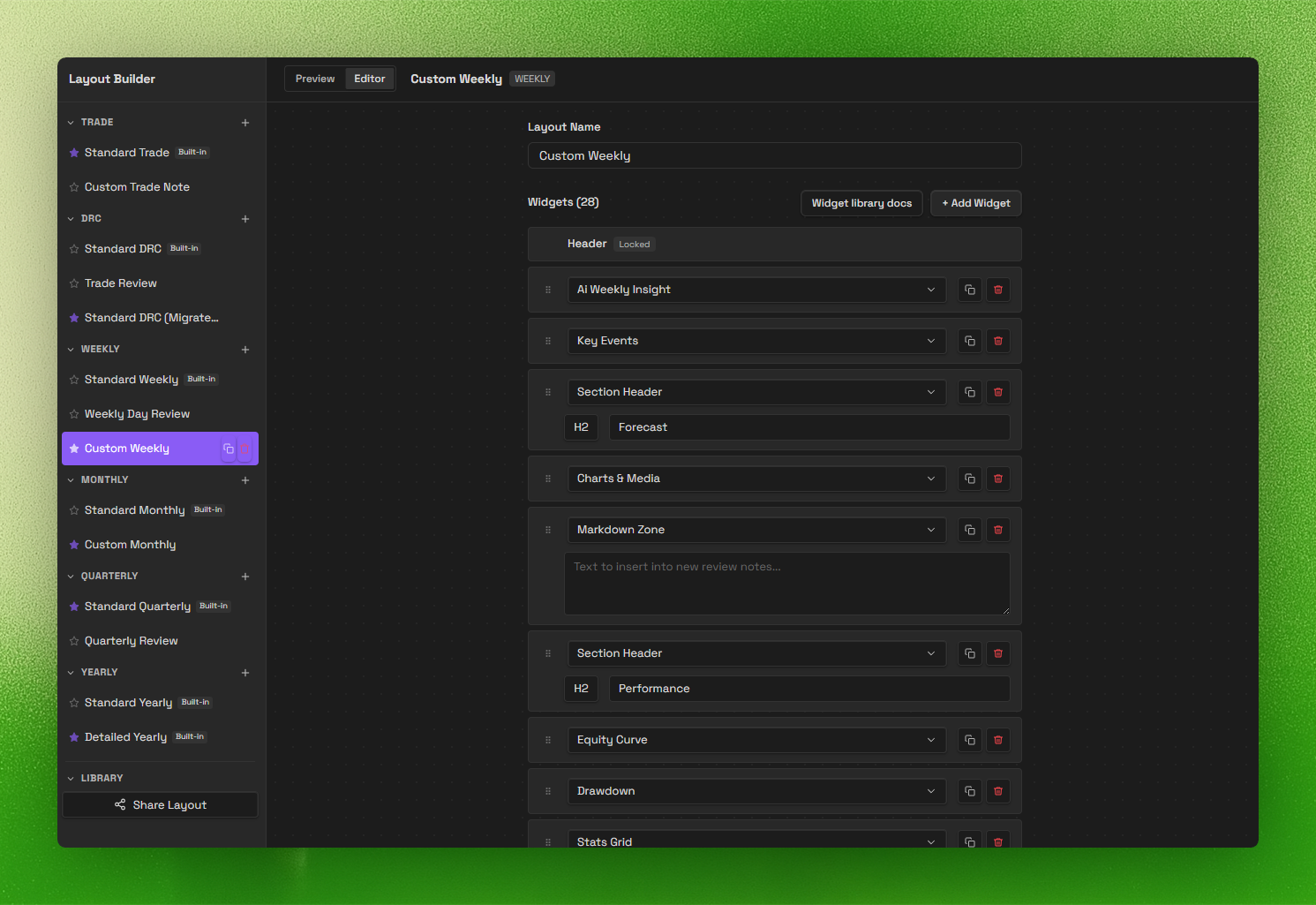
  • Review system (V2): daily → yearly templates with a layout builder.
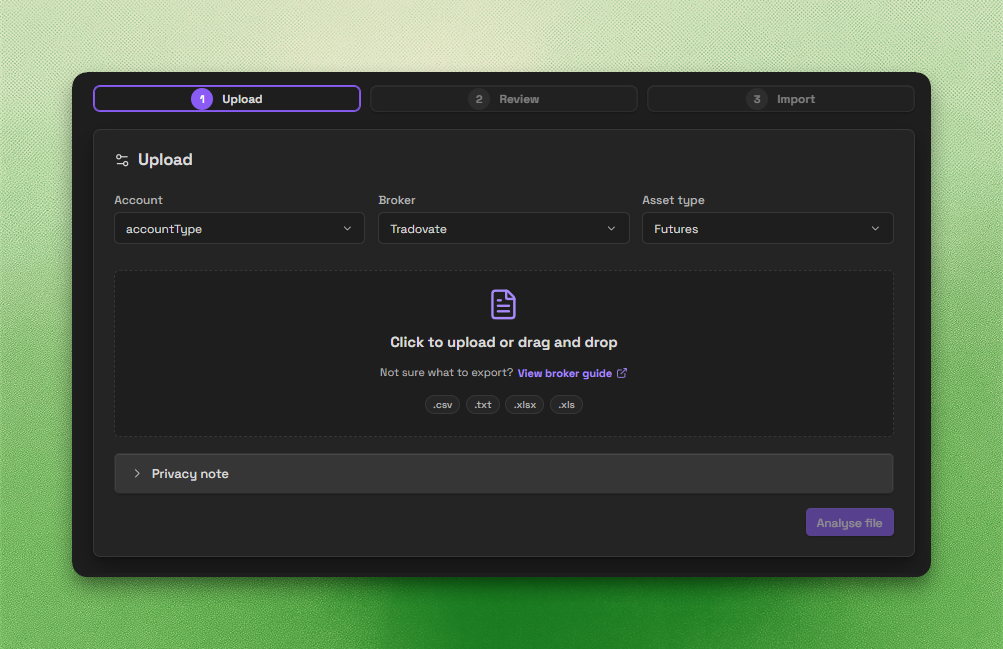
  • Trade Import: backend-powered imports for CSV, spreadsheets, HTML, and broker statements.
  • Trade Sync: automatic trade sync for supported brokers.

Important disclosures

  • Local-first core: core journaling works offline and stores your notes and trades inside your Obsidian vault.
  • Account required for full access: a Journalit account is required for authentication-backed and subscription-gated features.
  • Paid features: a paid Pro subscription is required for Trade Sync, committing Trade Imports, the Economic Calendar, and prefilled prop-firm profiles. Signed-in free users can analyse and preview Trade Import files.
  • Network use: Journalit checks public GitHub release metadata for updates by default without sending vault or account data. Signed-in features may use Journalit services; MT4 sync uses managed FTP, and currency conversion may use a third-party exchange-rate service. See PRIVACY.md.
  • Trade Import processing: analyse/preview sends your selected file and import options to Journalit. Server-side encrypted diagnostic captures expire after one day for free accounts or 14 days for Pro accounts; stored previews expire after seven days. Compatibility guidance is returned in those responses and displayed locally, with no separate client failure-report upload. See PRIVACY.md.
  • Other network diagnostics: existing Tradovate Sync code sends client synchronization diagnostic events as disclosed in PRIVACY.md; this is separate from Trade Import. Upgrade buttons open journalit.co only when clicked, carrying fixed campaign parameters (no identifiers) for server-side attribution.
  • Source available, proprietary license: the plugin is proprietary software with reviewable source.
  • Privacy details: see PRIVACY.md for data handling, retention, and infrastructure details.

Screenshots

Trading Dashboard
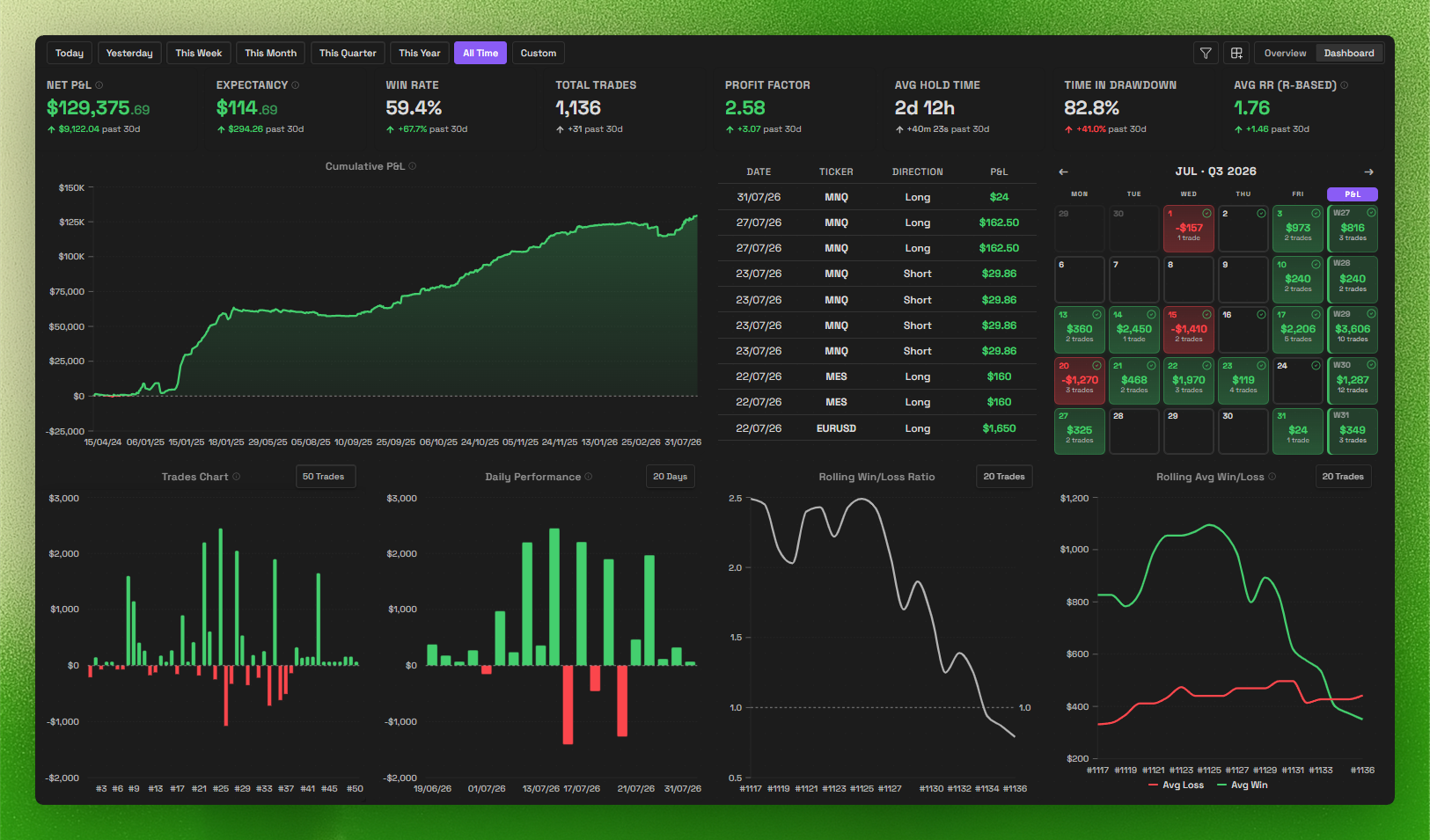
Trading Dashboard

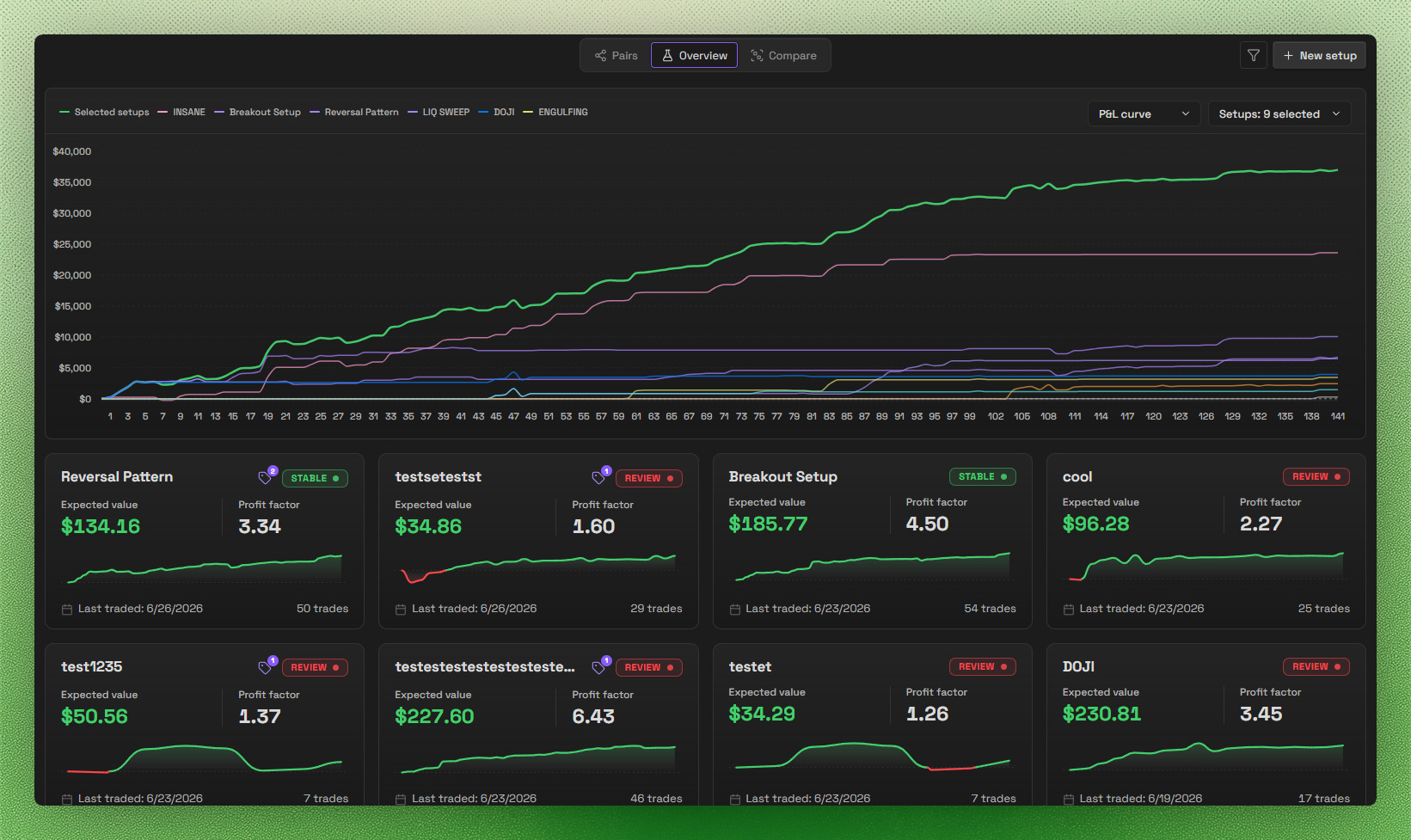
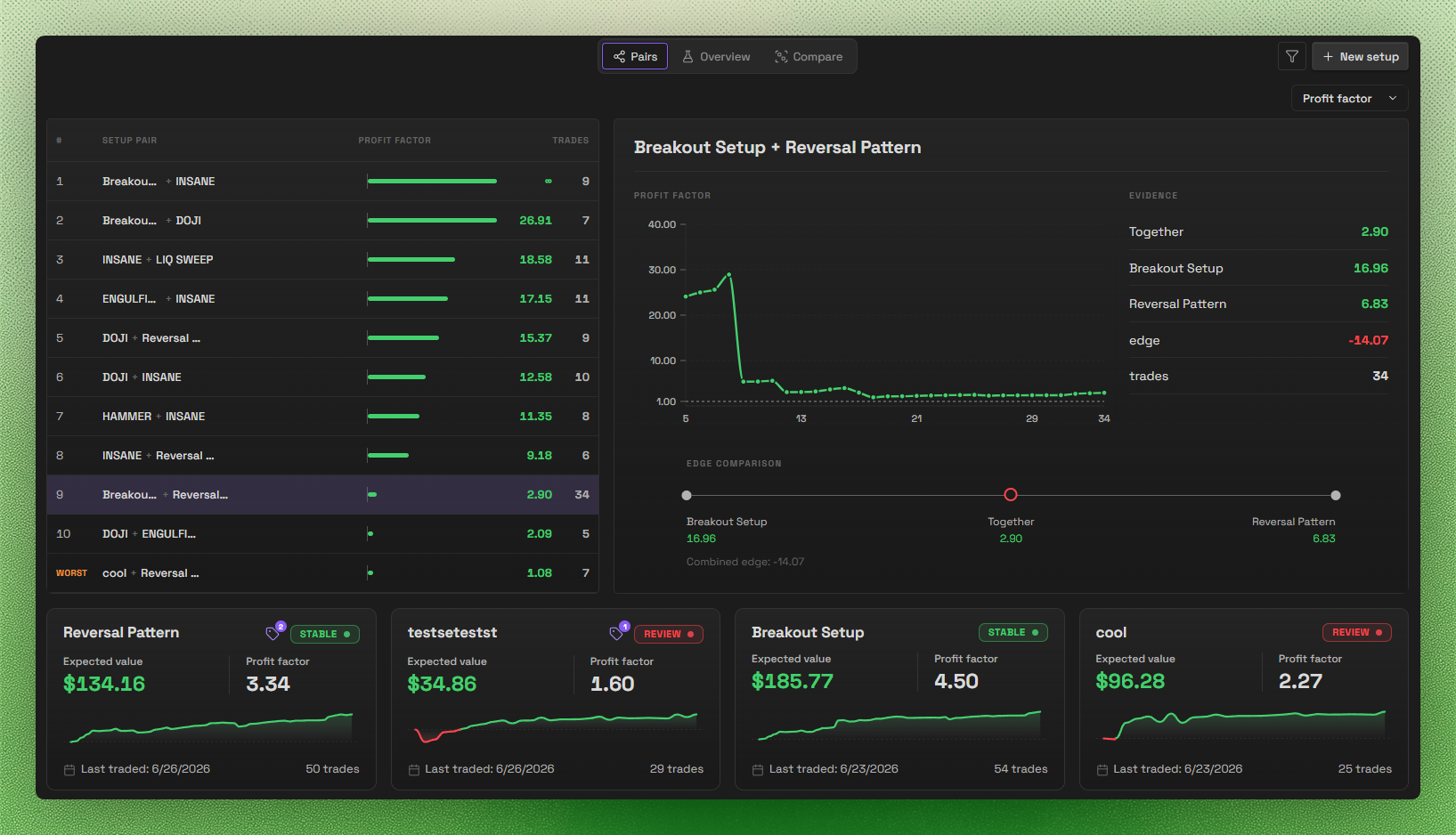
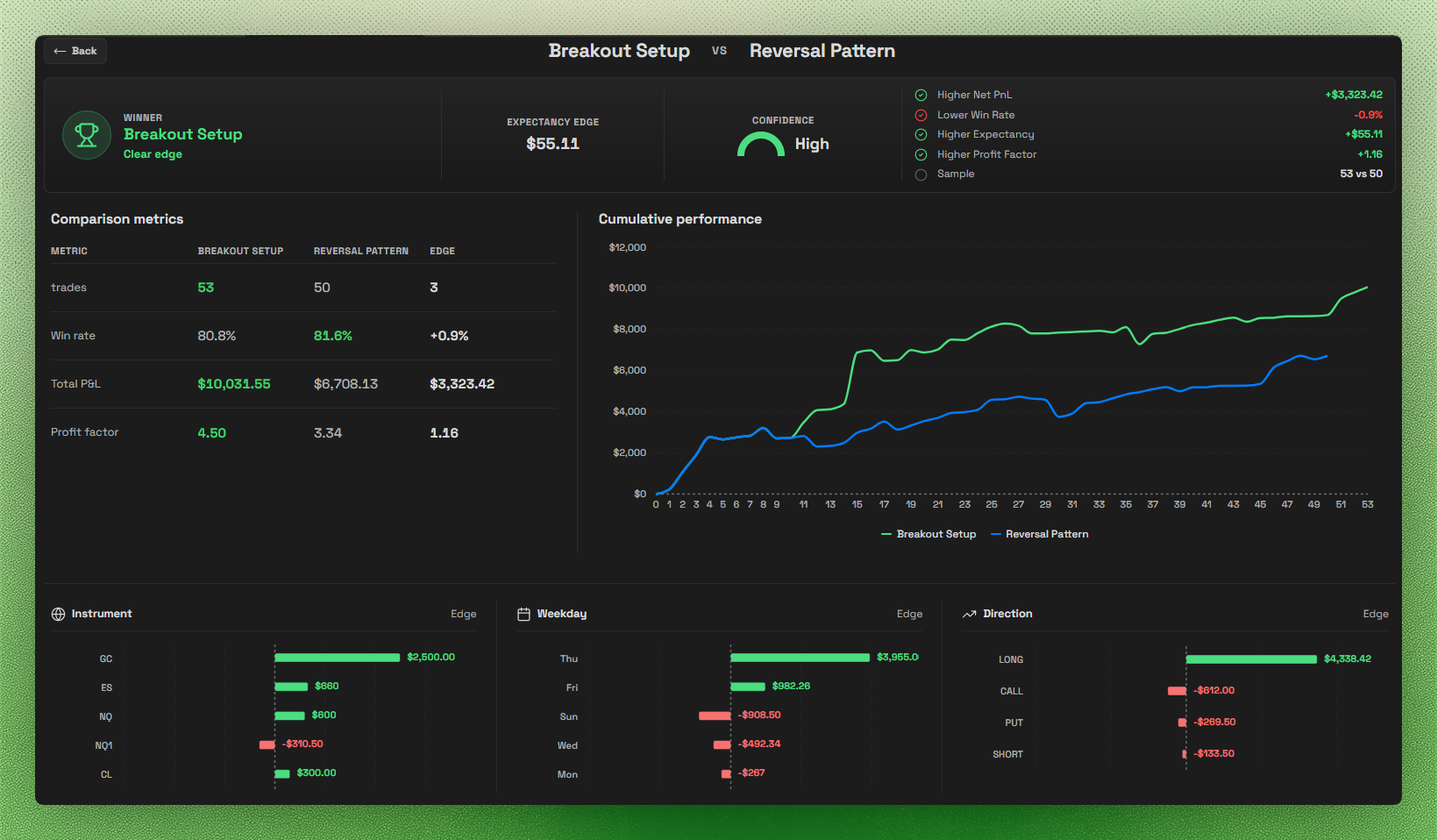
Setups

Setup Overview

Setup Pairs

Setup Comparison

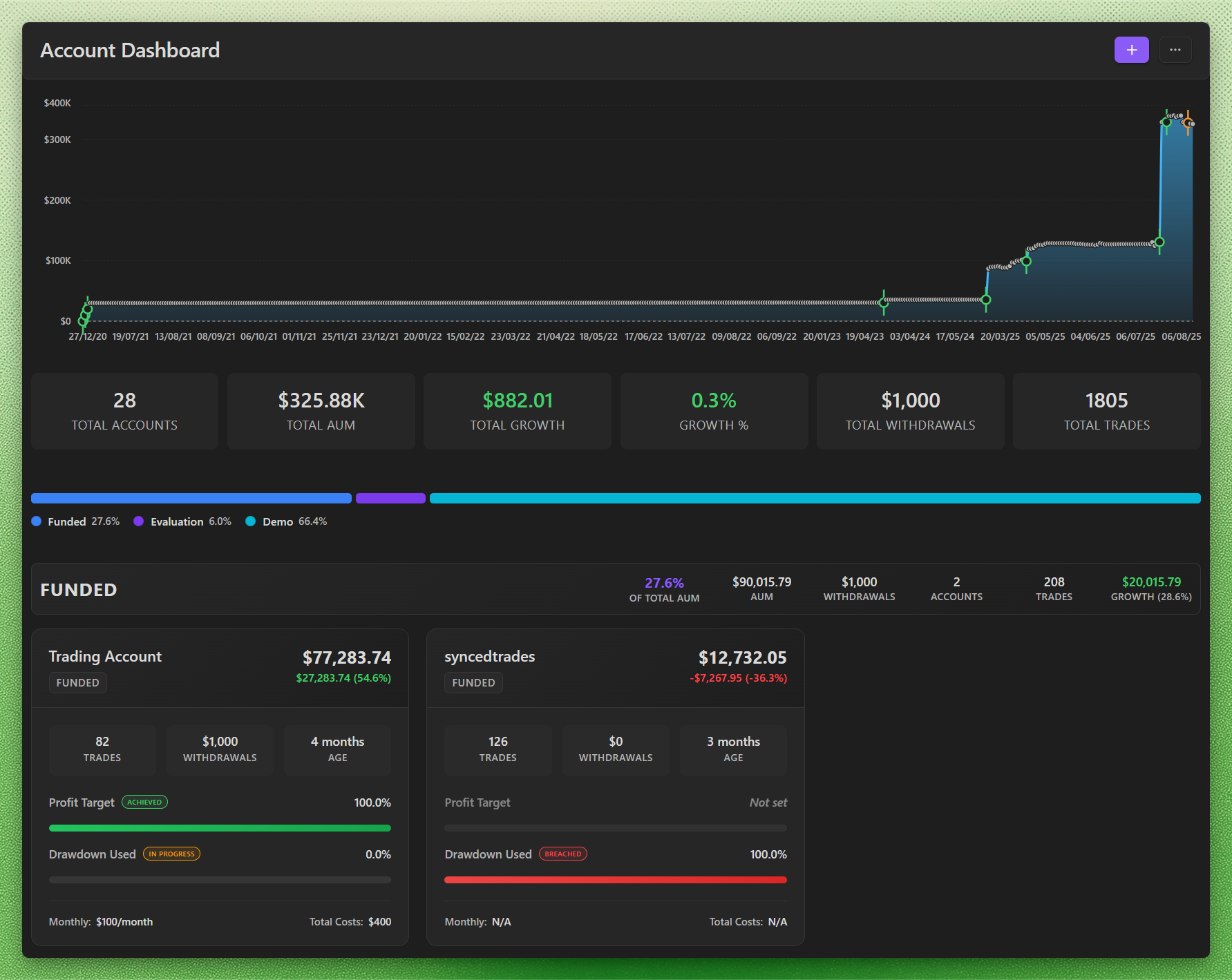
Accounts & Prop Challenges

Account Dashboard

Account Pages

Layout Builder

Layout Builder

Layout Builder

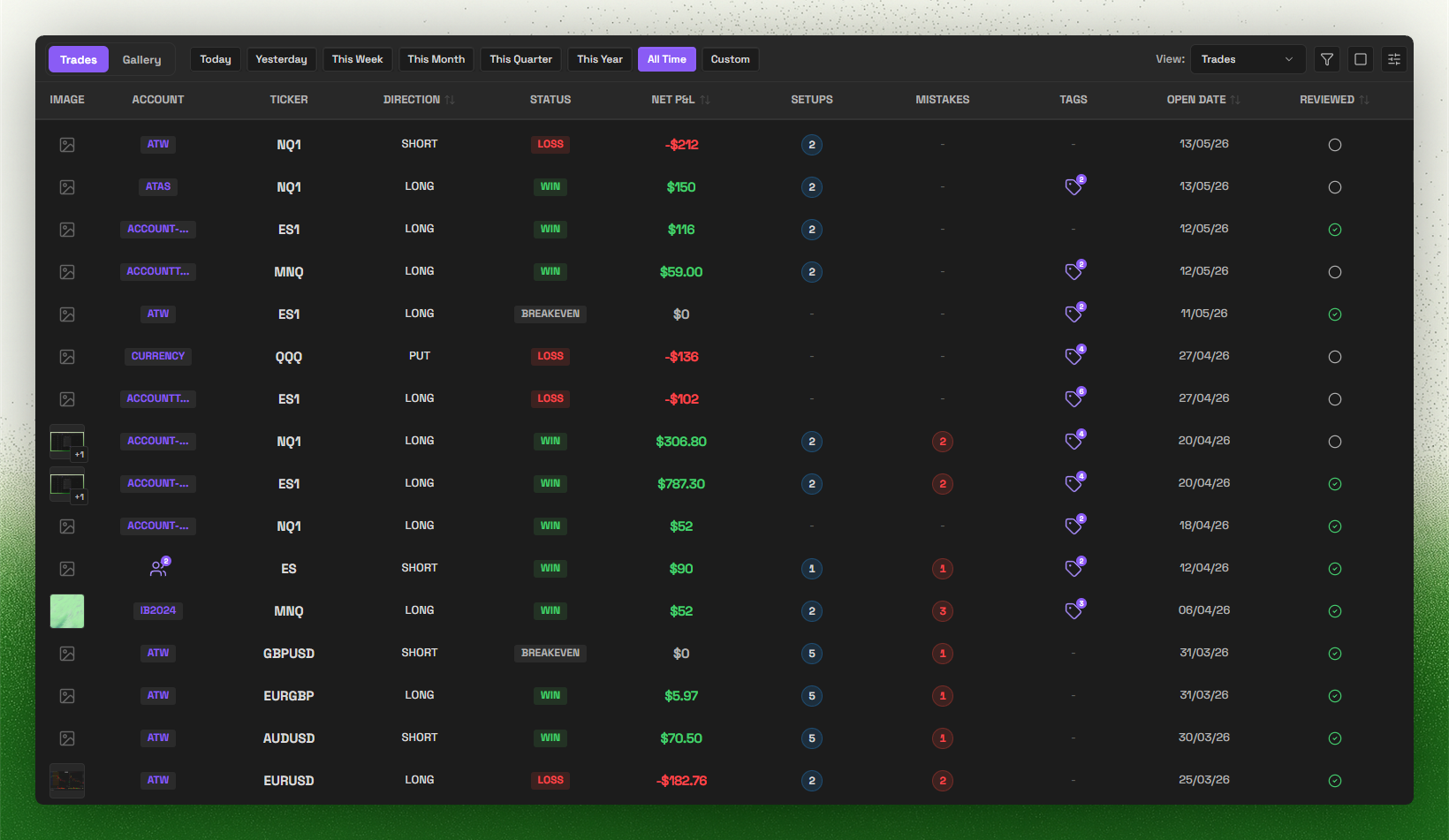
Trade Log

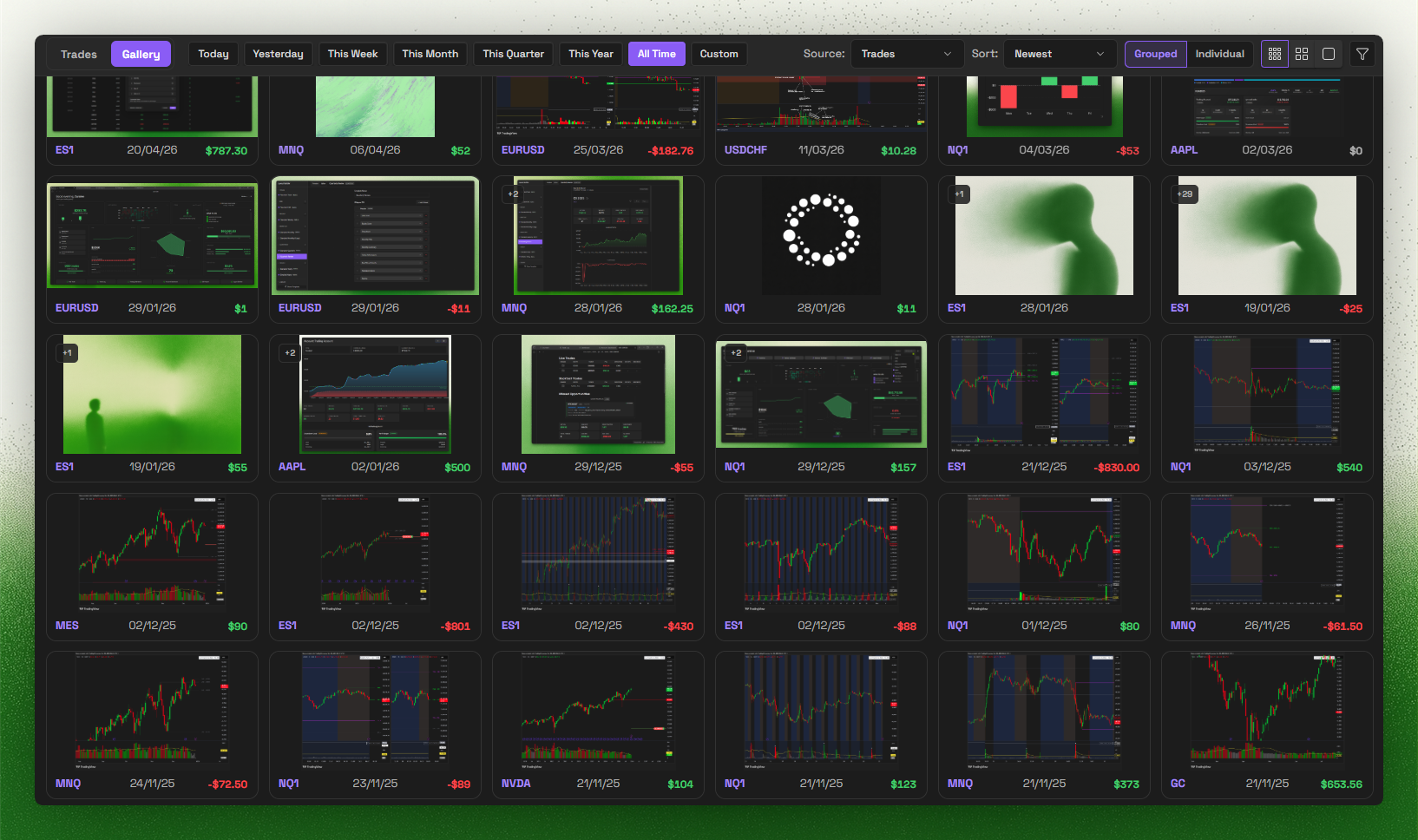
Gallery

Trade Import

Trade Import

Supported brokers

Supported broker import formats:

Missing your broker? Join Discord and tell us what you want next.

Keywords: obsidian trading journal, trading plugin, trade tracker, obsidian trading template, trading analytics, MetaTrader, MT4 sync, MT5 sync, Trade Import, prop firm, prop firms, funded account, profit target, trailing drawdown, max drawdown, prop challenge, evaluation, funded phase, payout rules, daily loss limit

License

This plugin is source-available proprietary software. Source is published for Obsidian review and user inspection, but it is not licensed as open source. See LICENSE for permitted use.


Docs | Discord | X.com

Similar Plugins

info
• Similar plugins are suggested based on the common tags between the plugins.
Account Linker
4 years ago by qwegat
Plugin for posting links to various SNS accounts on Obsidian
Local GPT
3 years ago by Pavel Frankov
Local Ollama and OpenAI-like GPT's assistance for maximum privacy and offline access
View Count
3 years ago by Trey Wallis
Add view count tracking to your Obsidian vault
Quran Helper
2 years ago by Ammar Alakkad
Obsidian plugin to find and insert any Quran Ayah (verse) in your notes
Crackboard
2 years ago by Franklin
Obsidian plugin for crackboard.dev
SQLSeal Charts
2 years ago by hypersphere
Charting extension for SQLSeal Obsidian Plugin. Visualise your data!
Daily Note Metrics
2 years ago by Andre-Diamond
Obsidian Plugin that parses Daily Notes and uses data to create charts
Countdown To
a year ago by Gui Cattani
A countdown/progress Obsidian widget using progressbar.js
Startpage
a year ago by kuzzh
A modern startup homepage plugin for Obsidian that provides a beautiful dashboard interface, displaying vault statistics, pinned notes, and recent notes.
Tag Timer
10 months ago by quantavil
The Tag Timer is a versatile plugin for Obsidian that allows you to seamlessly track the time you spend on specific tasks or sections within your notes.
Role Switch
8 months ago by Zafrem
This program is a tool that recognizes and makes task switching easier, even though multitasking is difficult.
Auto Math
7 months ago by Vladislav Sorokin
Auto-expand LaTeX math snippets in Obsidian — write equations faster.
Synaptic View
7 months ago by Yongmini
Obsidian Plugin : Synaptic View that unifies your dashboards, hub notes, quick-entry notes, periodic notes, web shortcuts, and calendar navigation—enable it as the default new-tab experience or summon it with a command.
Apex Dashboard
4 months ago by PandoraReads
Stop switching between Obsidian notes. One page. Everything you need. Memo your thoughts, crush your todos, track your projects — and make it look incredible doing it.
Offline Whisper Transcription
3 months ago by David Manthey
Sheet Plus
3 months ago by ljcoder
obsidian spreadsheets solutions
Bible Reference
3 months ago by tim-hub
Take Bible Study notes easily in the popular note-taking app Obsidian, with automatic verse and reference suggestions.