README file from
GithubChinese Chess





Play, explore and analyze Chinese chess (xiangqi) right inside your Obsidian notes — full PGN support, interactive boards, variation trees and a built-in Pikafish engine (WASM).
English | 中文文档
Getting Started
There are three ways to use the plugin — all of them end up on the same interactive board.
Open a PGN file
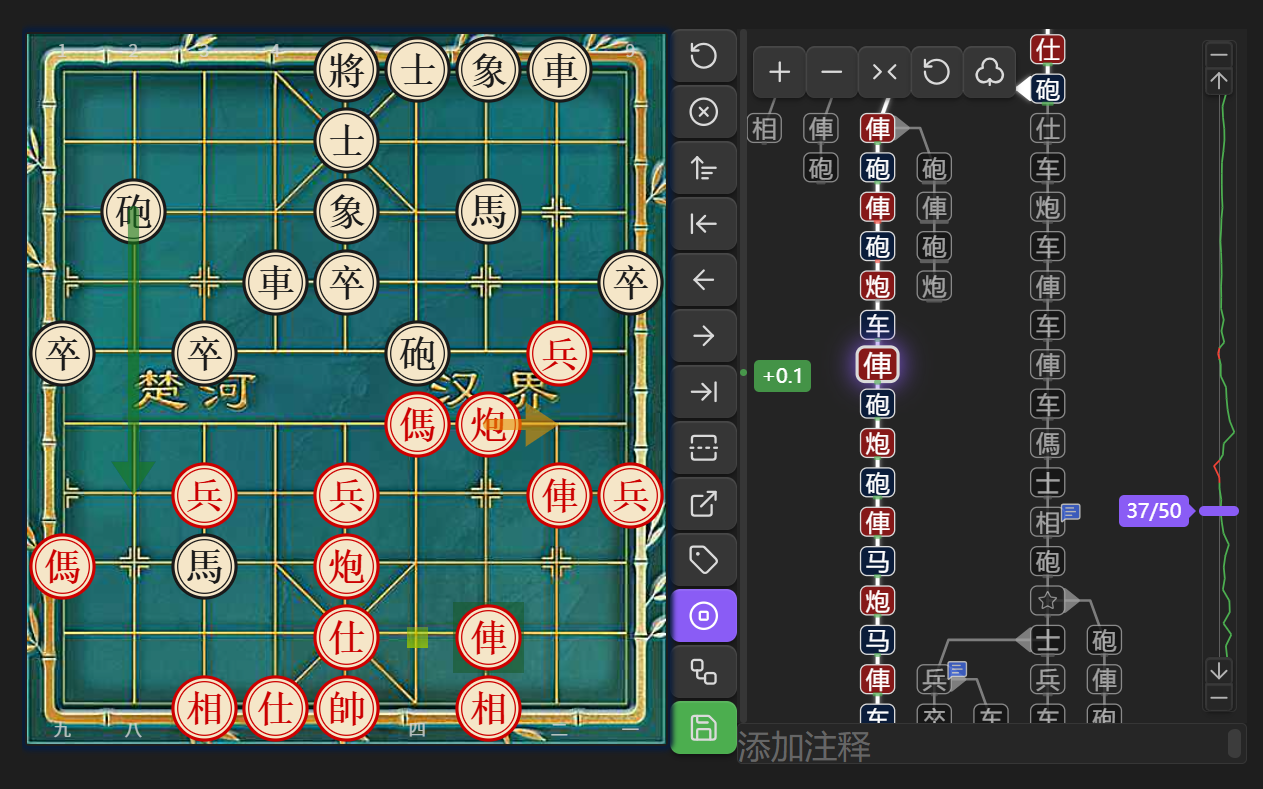
Any .pgn file opens in a dedicated chess view: browse the variation tree, edit moves and comments, run engine analysis, and save back to the file with one click. Multiple games in one file are supported via the game navigation bar, and the ribbon button creates new PGN files instantly.
Embed a game in a note
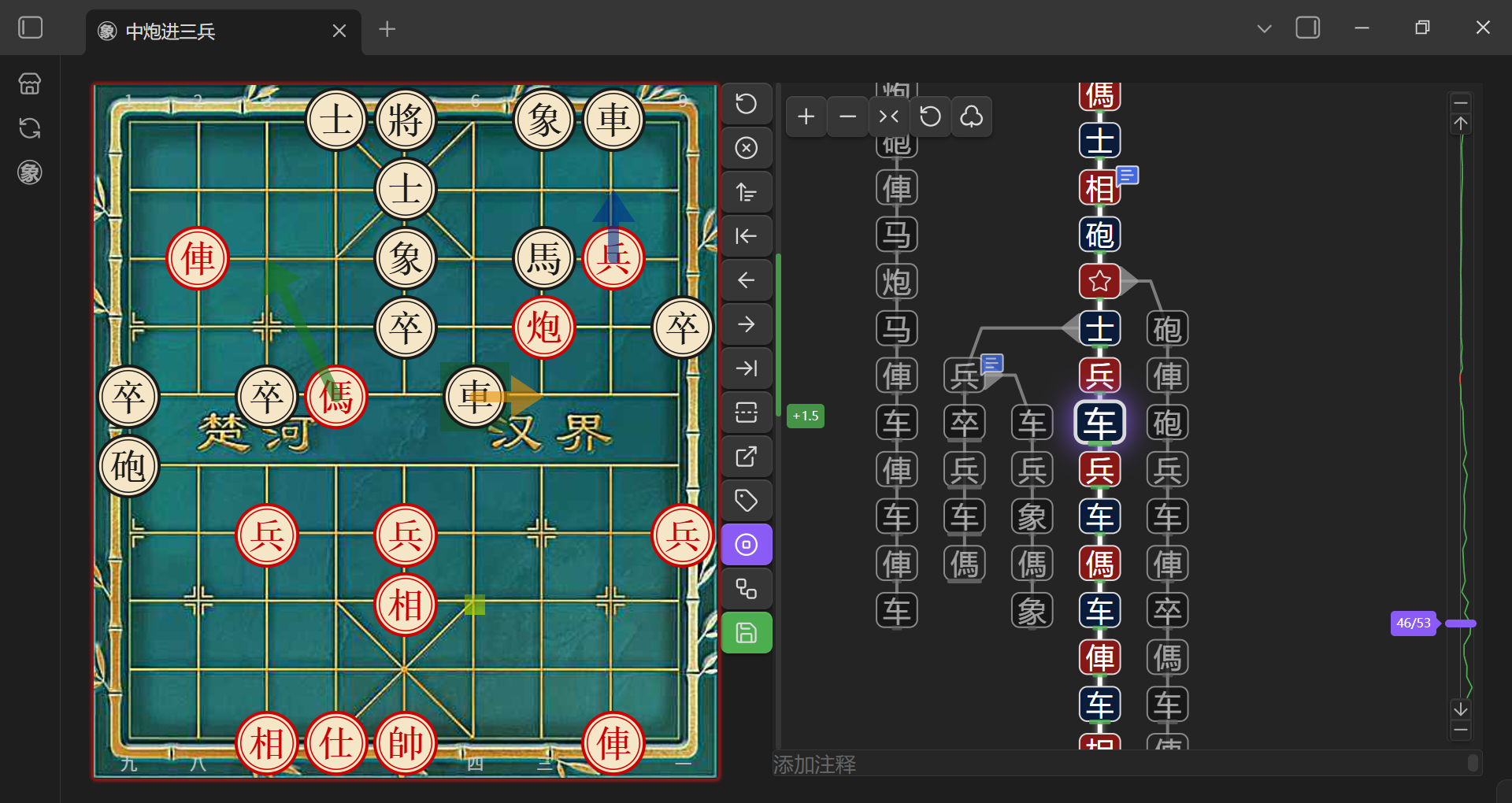
Write moves in a xiangqi code block — the position renders as an interactive board with the full variation tree:
```xiangqi
1. H2-E2 H9-G7
2. H0-G2 I9-H9
3. I0-H0 B9-C7
```
Optional parameters: protected/p (disable Save), rotated/r (flip board, Red on bottom). FEN is optional — with quotes or without:
```xiangqi
r:true
[FEN "2bk1a3/5n3/3Pb4/R7p/2p6/C3p2N1/PR2c3P/1nr1B1C2/4A4/1rB1KA3 w"]
1. G2-G9 F9-E8
2. D7-D8 D9-E9
```
Moves can be numbered together, unnumbered, or written one by one.
Set up a position
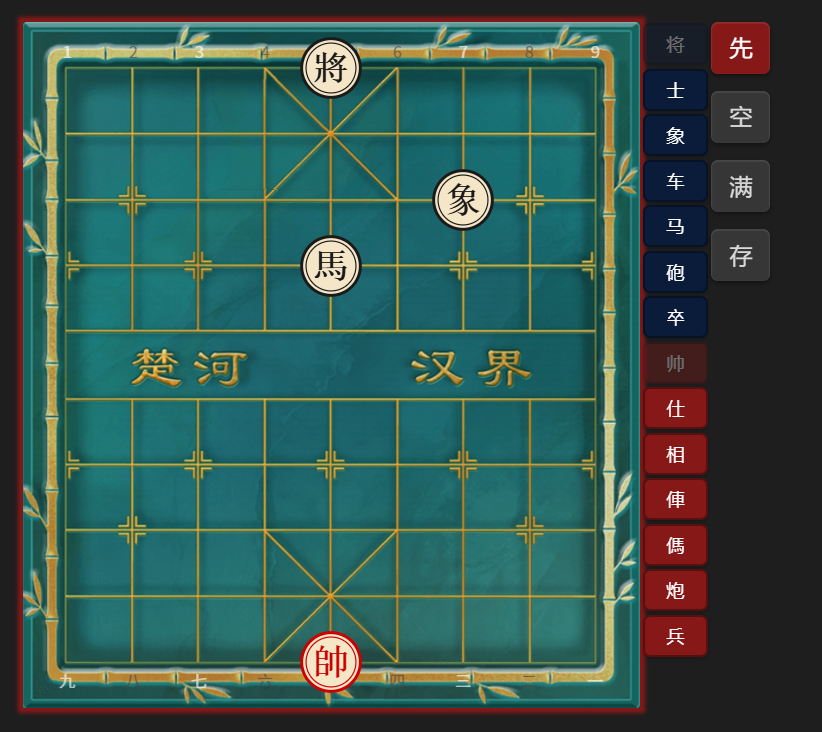
A fen code block opens a visual position editor — drag or click to place pieces, set the side to move, then save. It becomes a playable xiangqi code block containing the FEN.
Feature Tour
Variation Tree & Keyboard Navigation
Every branch is visualized as a tree graph — click any node to jump to that position, and switch between icon and text label modes. Keyboard shortcuts keep your hands on the board:
| Shortcut | Action |
|---|---|
Ctrl+↑ / Ctrl+↓ |
Jump to the previous / next fork (branching point) along the line |
Ctrl+← / Ctrl+→ |
Switch the displayed branch at the first fork below the current node (wraps) |
Ctrl+Alt+← / Ctrl+Alt+→ |
Cycle through every variation below the current node (wraps) |
↑ / ↓ / ← / → (PGN view) |
Step one move back / forward; jump to game start / end |
Branch navigation works in both the PGN file view and xiangqi code blocks (in code blocks, hover the block and keep focus out of text editors). On macOS, Ctrl+↑/Ctrl+↓ may conflict with Mission Control.
Engine Analysis
Built-in Pikafish (WASM) — no external installation needed.
- Single / batch / auto analysis: analyze one position, every node, or automatically as you play
- Best-move & ponder arrows: green for best move, yellow for the ponder move
- Eval bar: live evaluation beside the board (green = red advantage, red = black advantage)
- Eval trend chart & node color bars: see the whole game's evaluation at a glance
- Persistence: evaluations are stored as
%e:comments in PGN - Engine play: play against the engine with configurable depth (1–30) and skill level (0–20)
Board & Pieces
- 7 board styles: Auto, Light, Dark, Parchment, Green, Wood, Bamboo — with a swatch picker in the board menu
- Adjustable size: board and piece display scale (0–100%)
- Board markers: draw arrows and highlights on the board
- Feedback options: last-move highlight, next-move hints, other variations, turn border, move sounds, spoken moves (desktop)
- Board editor: Edit board turns any game into a position editor; existing moves are discarded on save
Move List
Grid-aligned move columns with Chinese (炮二平五) or coordinate (h2e6) notation, adjustable font size, and per-move marks — eval bar, annotation badge, glyph and comment underline — each independently toggleable.
Mobile
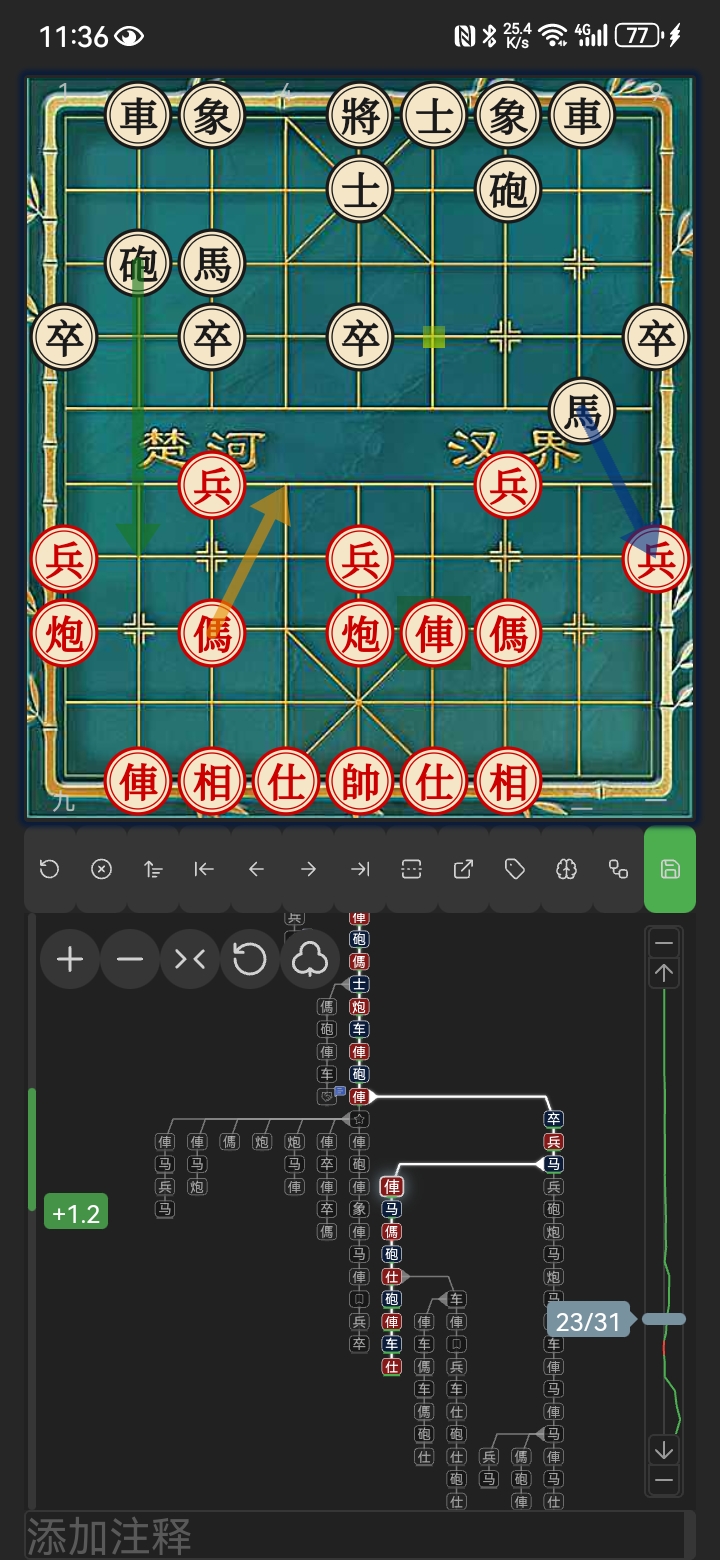
The responsive layout automatically switches between single-column (portrait) and double-column (landscape) views. For best results, combine it with a fullscreen plugin (e.g. obsidian-full-screen-cross-platform-plugin) and tune the top/bottom board margins in settings.
Settings Overview
All options live in Settings → Xiangqi, grouped as follows:
| Group | What you can configure |
|---|---|
| Board Appearance | Board style, board/piece size, coordinate labels |
| Game Hints | Last move, next moves, other variations, turn border, sounds, speech, auto jump |
| Move List | Visibility, text size, notation, per-move marks |
| Board Margins | Top/bottom margin (0–100 px) for fullscreen layouts |
| Code Block Names | Aliases for xiangqi/tree blocks, FEN save target |
| Engine Analysis | Depth, skill level, arrows, engine/board annotations |
| Save | Include eval on save, eval prompt |
| PGN File View | Enable/disable the view, custom file extensions |
Code block names, file extensions, and custom file types take effect after restarting the plugin or Obsidian.
Installation
This plugin is available on the official Obsidian community plugin marketplace:
- Open Settings → Community plugins (Restricted mode off)
- Click Browse and search for "Chinese chess" or "xiangqi"
- Click Install, then Enable
Build
git clone https://github.com/west-shell/obsidian-xiangqi.git
cd obsidian-xiangqi
npm install
npm run build        # Minified production build (for release)
npm run build:debug  # Unminified production build (with sourcemaps)
xiangqi.js and xiangqiground are installed from npm.
Credits & License
- Rules engine: xiangqi.js
- Board rendering: xiangqiground
- Engine: Pikafish (WASM)
- i18n: English and Chinese UI
Released under GPL-3.0.
Support the Project
If you like this project, check out my Bilibili page — likes, coins and feedback are greatly appreciated.